Your library, projected properly.
Goody is a native tvOS client for Plex, Jellyfin, and Emby — with peek cards, hero trailers, live wallpapers, and a focus engine that actually behaves like the room you're sitting in.
Join the TestFlightMost third-party media clients feel like a phone app zoomed to 1080p. Goody is built for the couch: native focus, card-stack peek, hero trailers that breathe, and settings that sync between your Apple TVs.
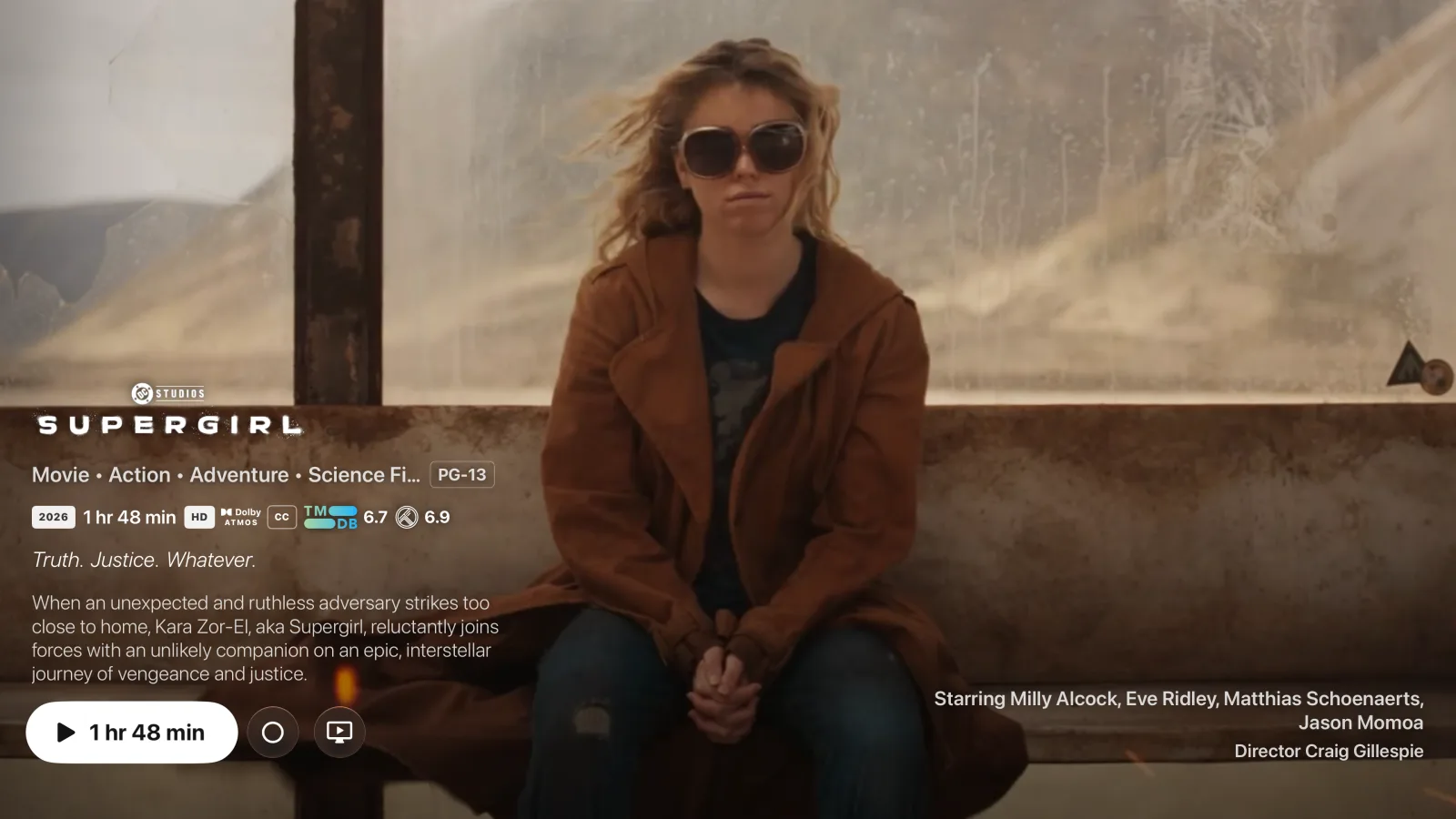
Detail pages that play the trailer, full-bleed.
Open a title and the trailer starts behind it. Logo, ratings, cast, tagline — laid over motion, not stuck on a wall of chrome. Trailers resolve inline through a multi-client YouTube resolver, so nothing hands off to another app.
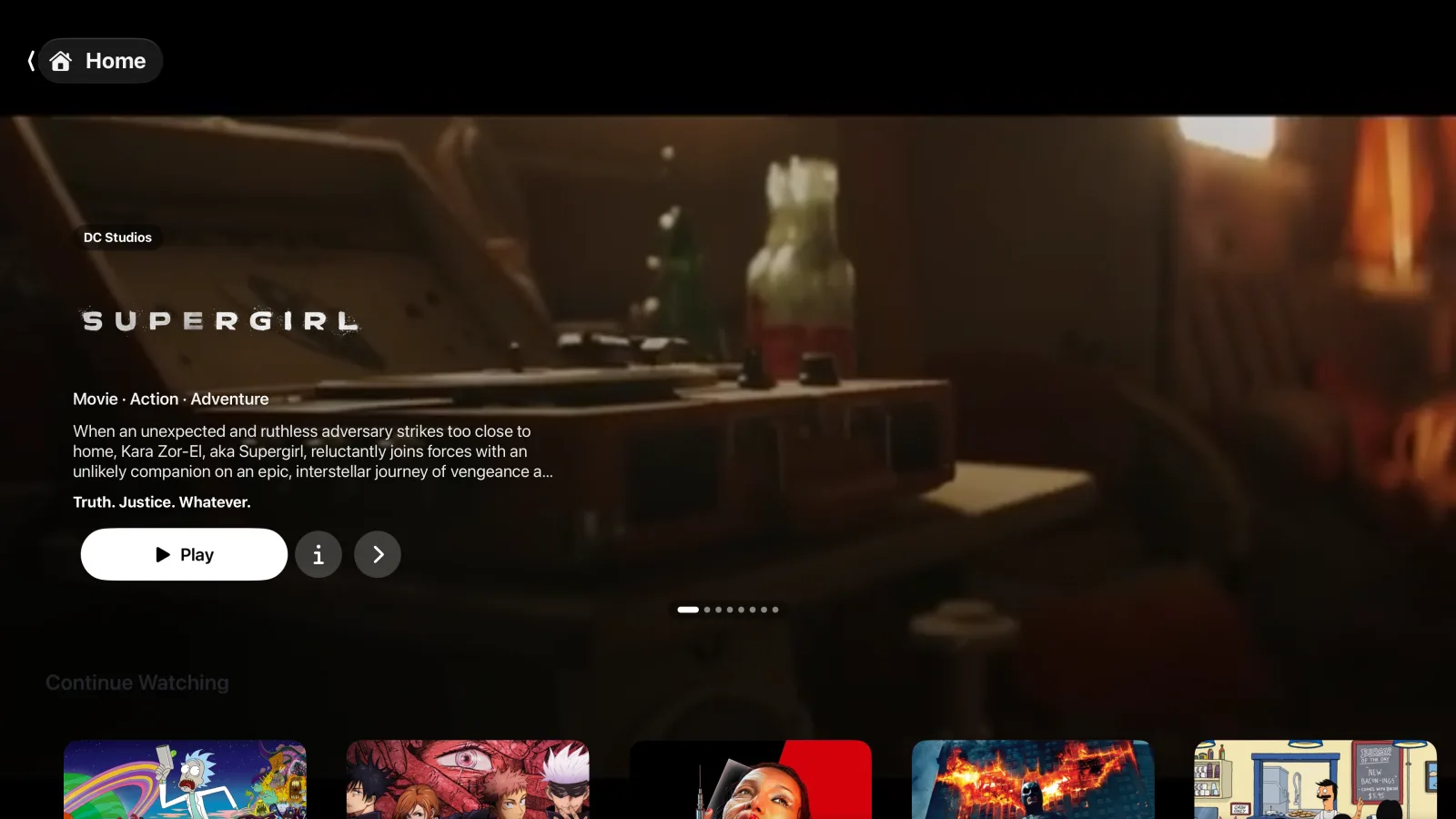
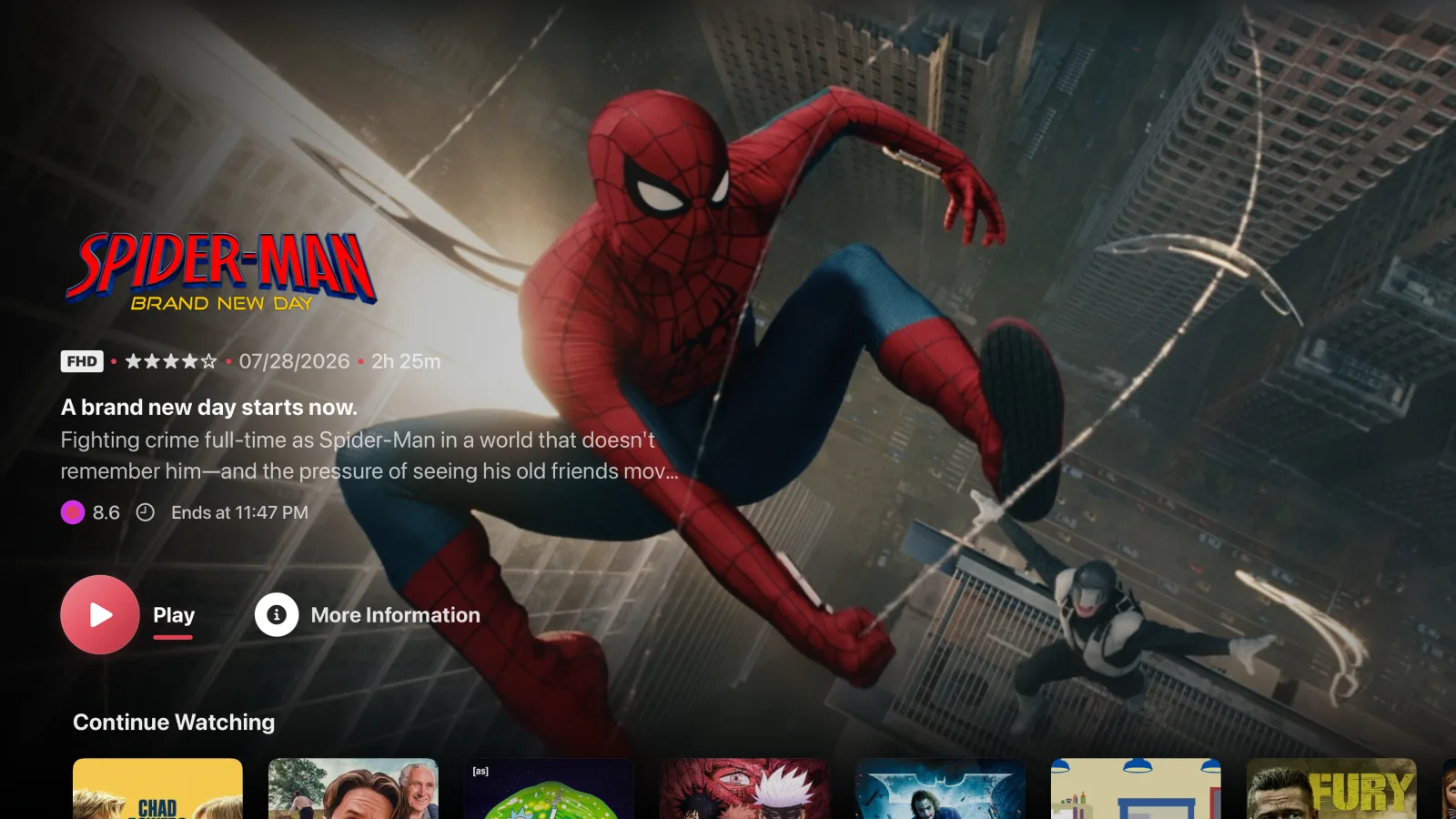
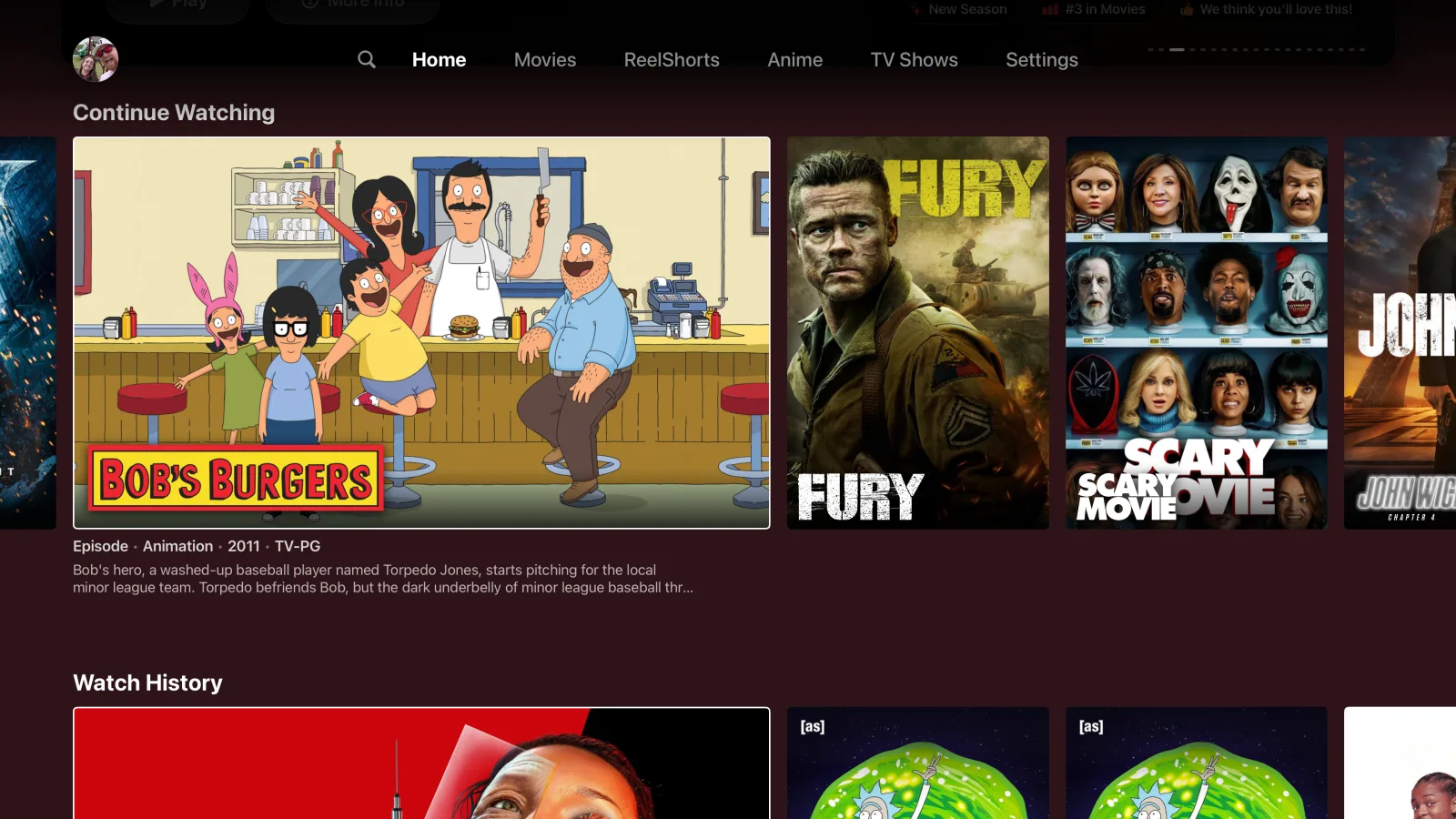
Three homes, one library.
Every home skin renders the same underlying library through a different grammar. Reorder rows, change layout, swap skins per device — nothing is fixed. Pick the one that fits how you actually watch.
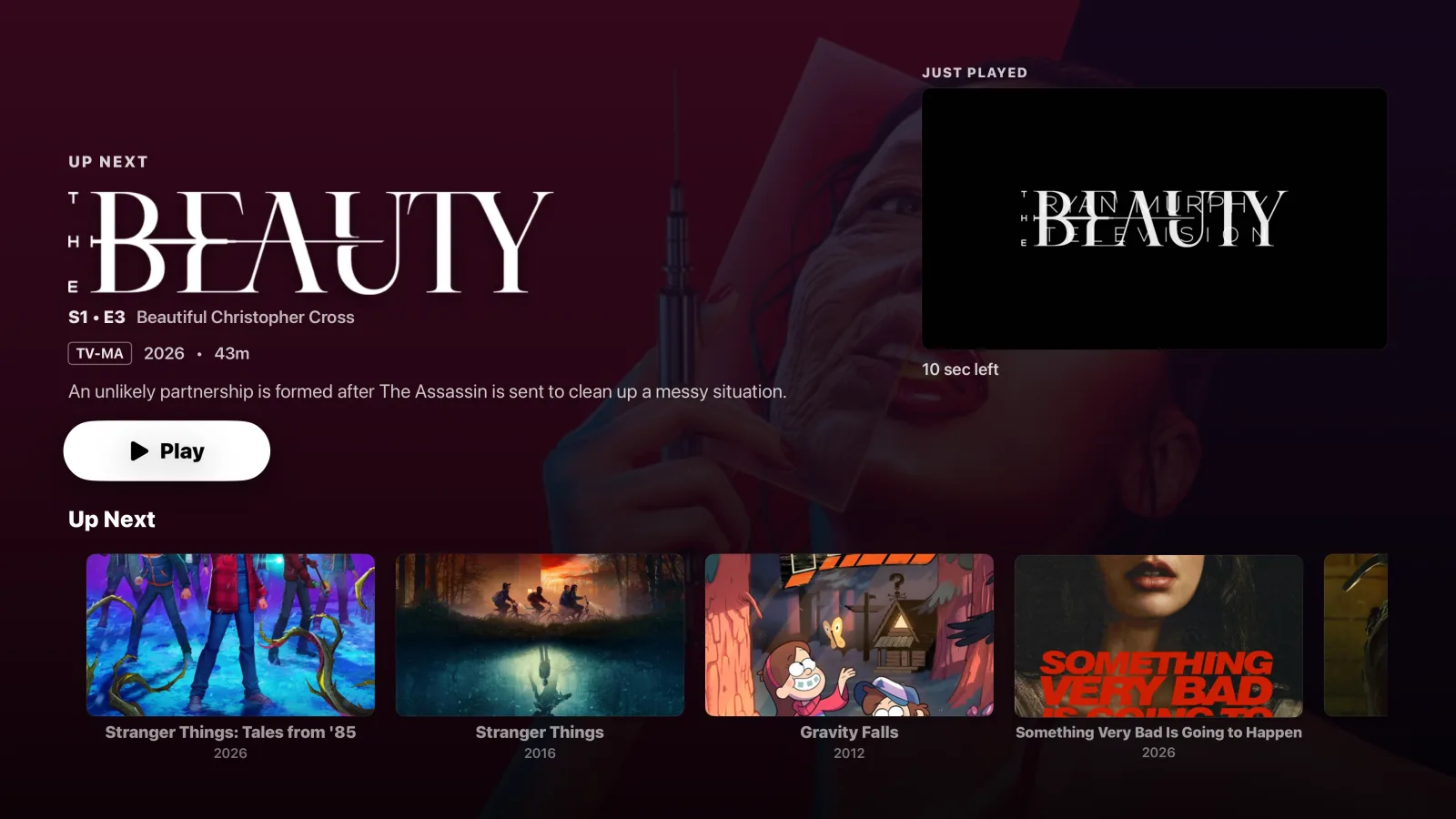
Post-playback that doesn't drop the ball.
When an episode ends, the next one queues automatically with a real countdown — not a jump-cut to a menu. The Up Next rail underneath surfaces related shows from your library, not something you'd have to hunt down.
Look before you commit.
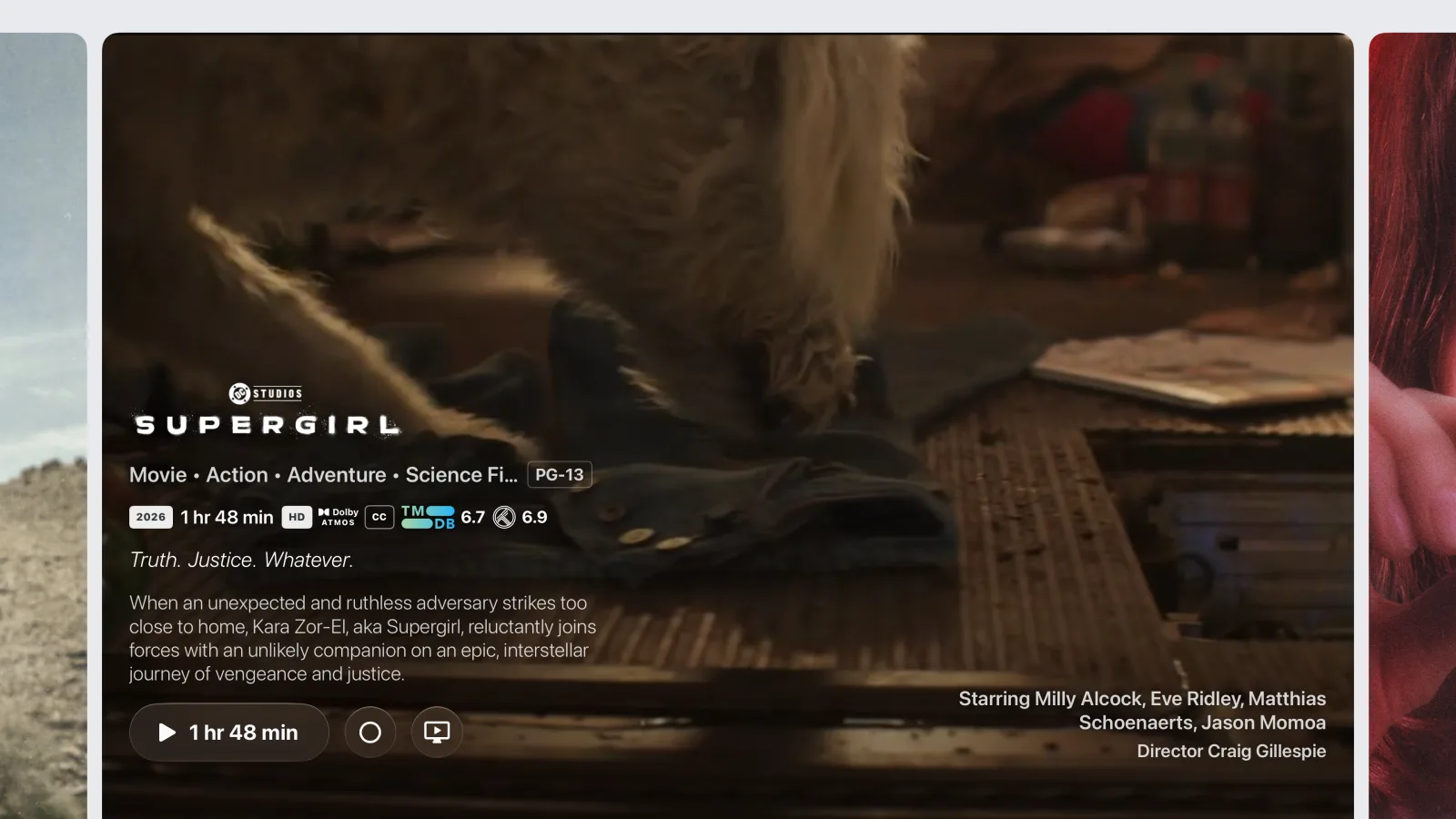
Highlight a poster and the card pops up — logo, synopsis, ratings, runtime, cast — without leaving the home screen. Press again for the full detail page. It's the interaction pattern the tvOS system apps use, done properly.
Every rating pill (IMDb, Rotten Tomatoes, TMDb, Trakt) is real data — whichever your sources light up.
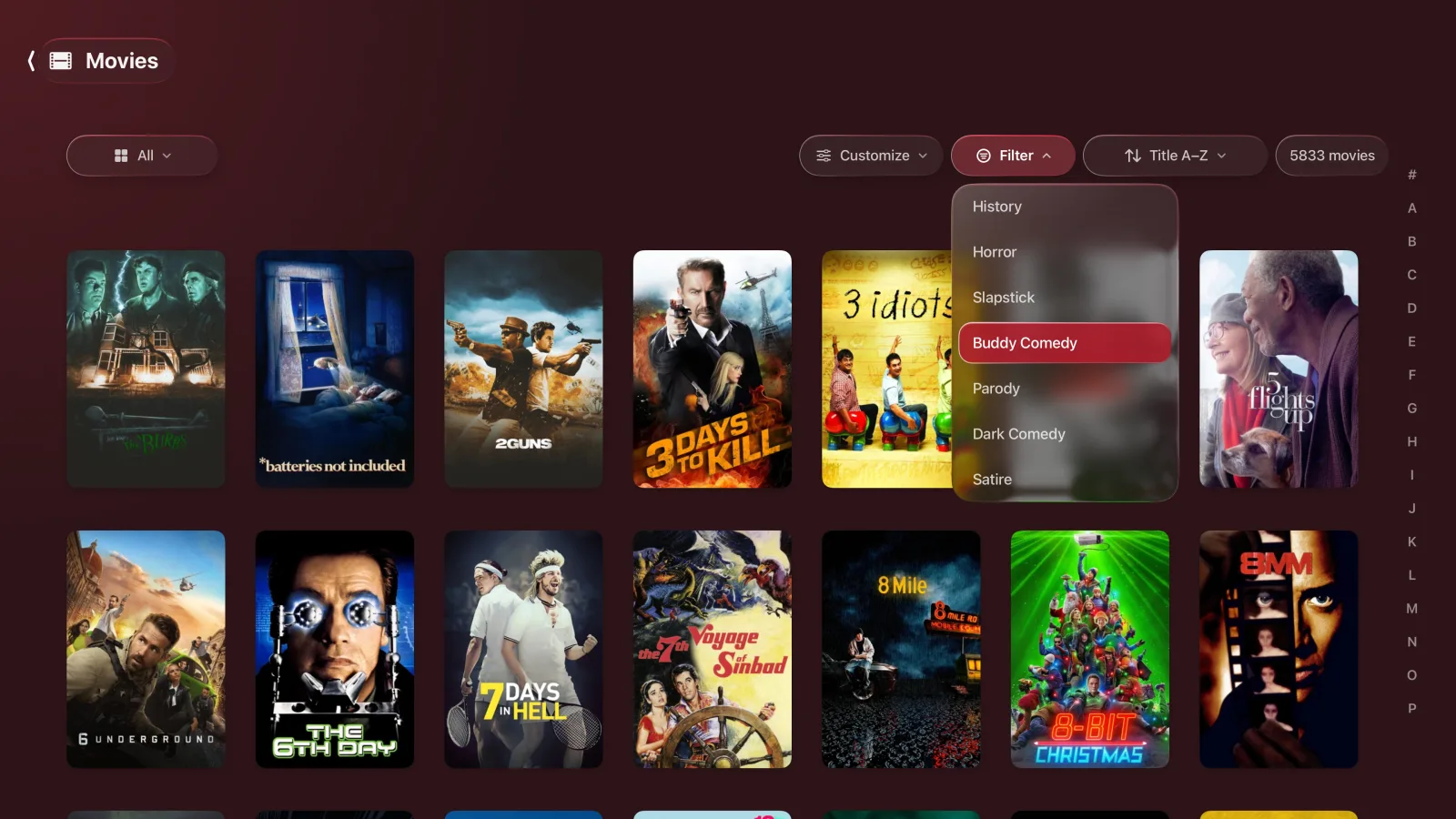
Sub-genres you didn't know your library had.
Filter 5,000+ titles by TMDB keywords: slapstick, buddy comedy, cyberpunk, giallo, revenge, whatever's actually in there. Also usable as home rows and as a hero source. Cross-referenced from one SQLite media index that spans every server you've connected.
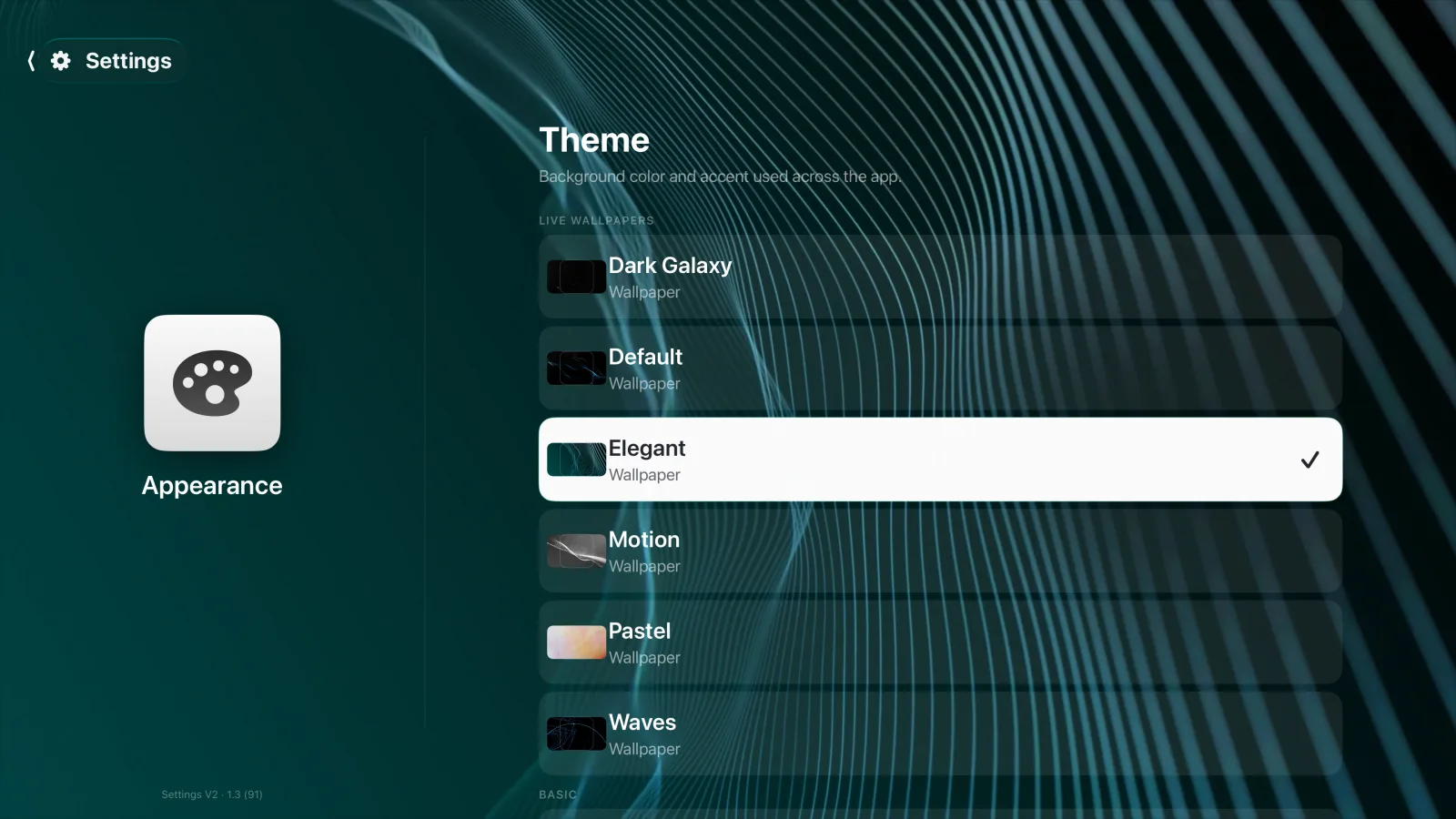
Live wallpapers that don't melt your Apple TV.
Six built-in themes, rendered at 1080p H.264 because 4K H.264 fell to software decode and killed the frame rate. Each server gets its own hero source, and the whole home layout syncs between your Apple TVs over iCloud.
Themes are picked from an inline gallery — one AVPlayer at a time, because a wall of live thumbnails is a great way to crash the picker.
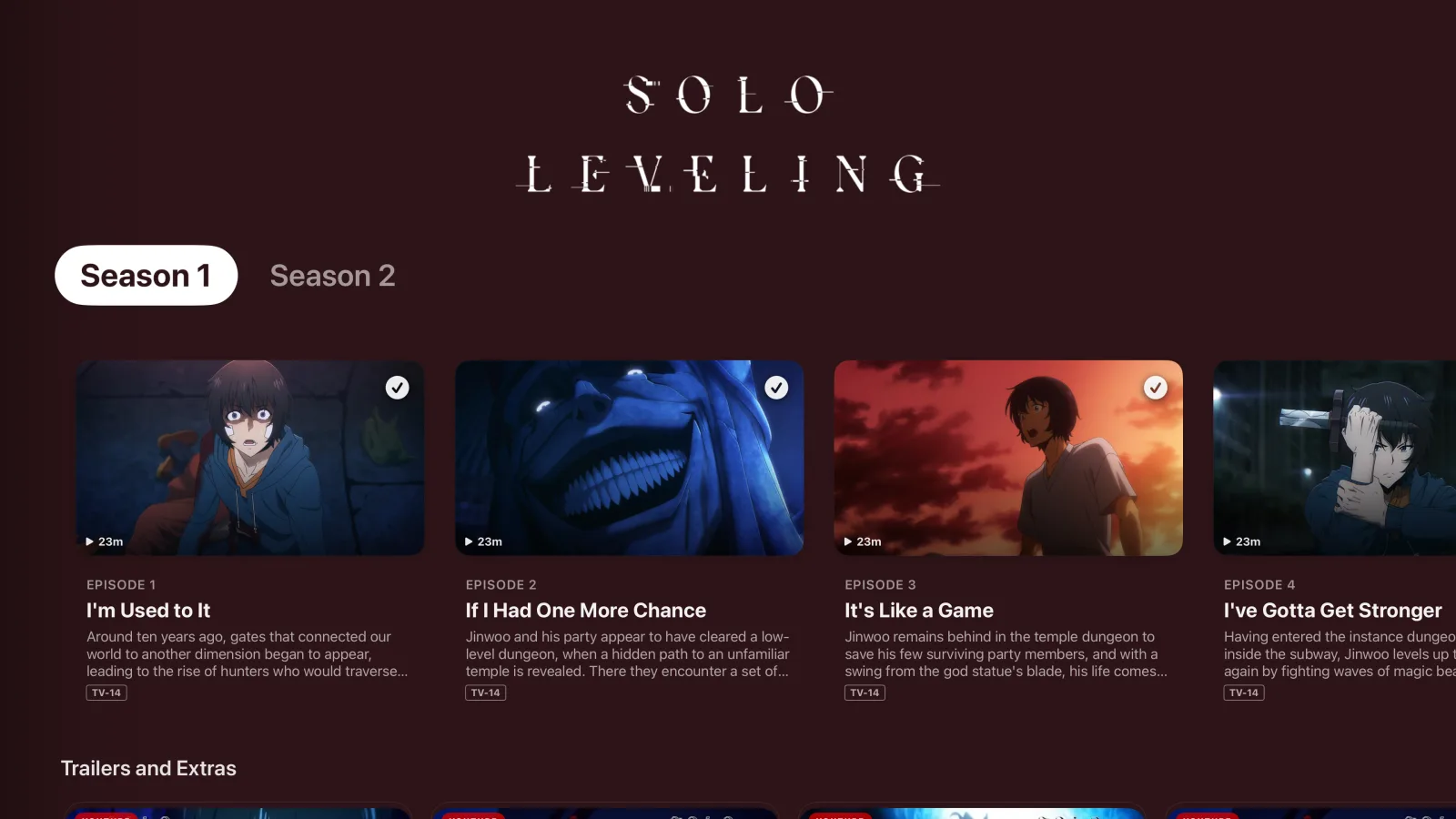
Every episode, even the missing ones.
TV detail pages render the full TMDB episode roster — including episodes not in your library yet, with air dates and "in N days" hints. If Jellyseerr is wired up, missing seasons can be requested right from the same page.
Watched state syncs both ways for both Plex and Jellyfin — no scrobble-only quirks.
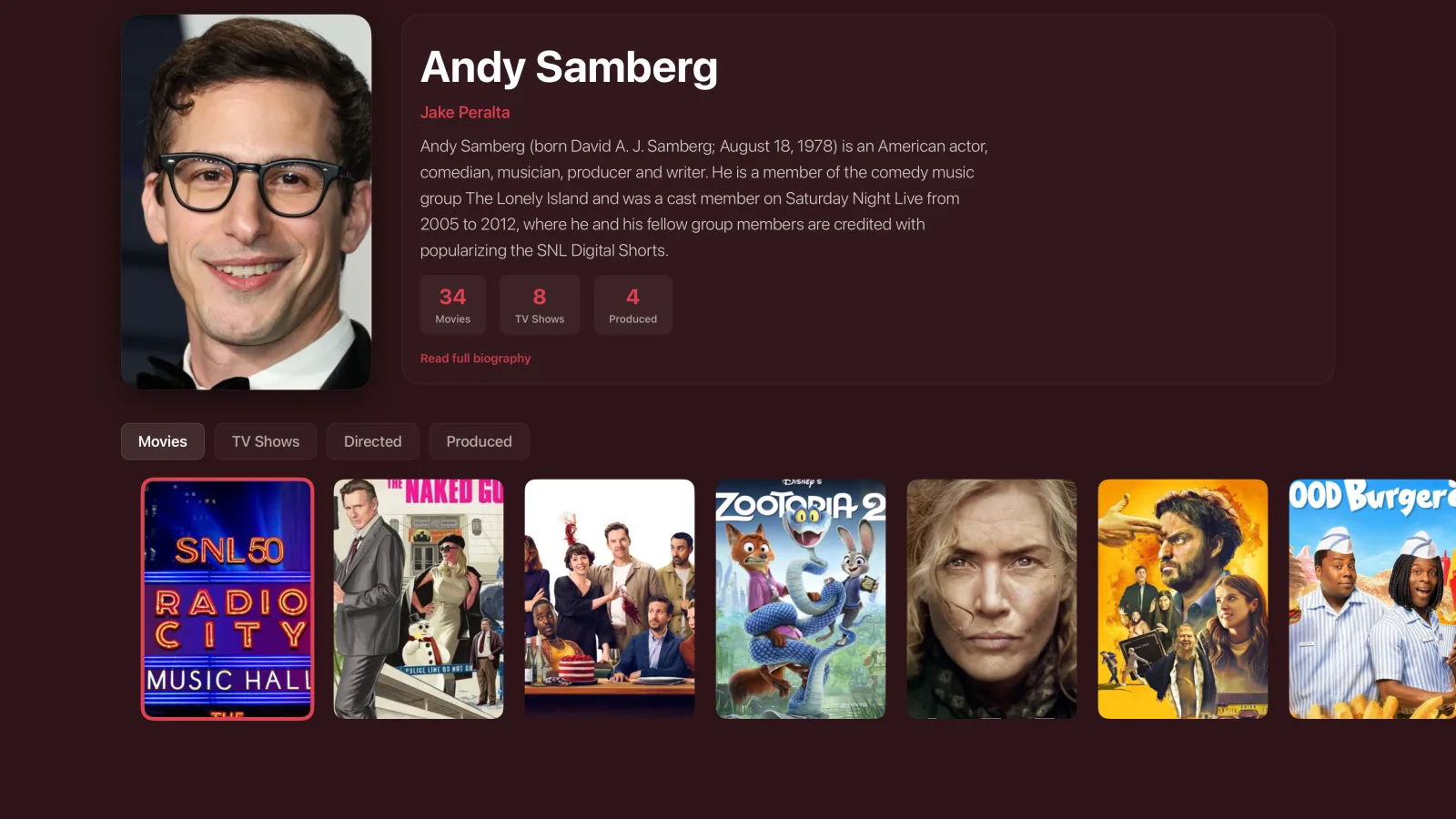
Follow a name through your library.
Tap an actor from any detail page to open their filmography — bio, headshot, cross-referenced against everything you own. Tabs for Movies / TV / Directed / Produced. Same treatment for directors and writers.
A player that respects the remote.
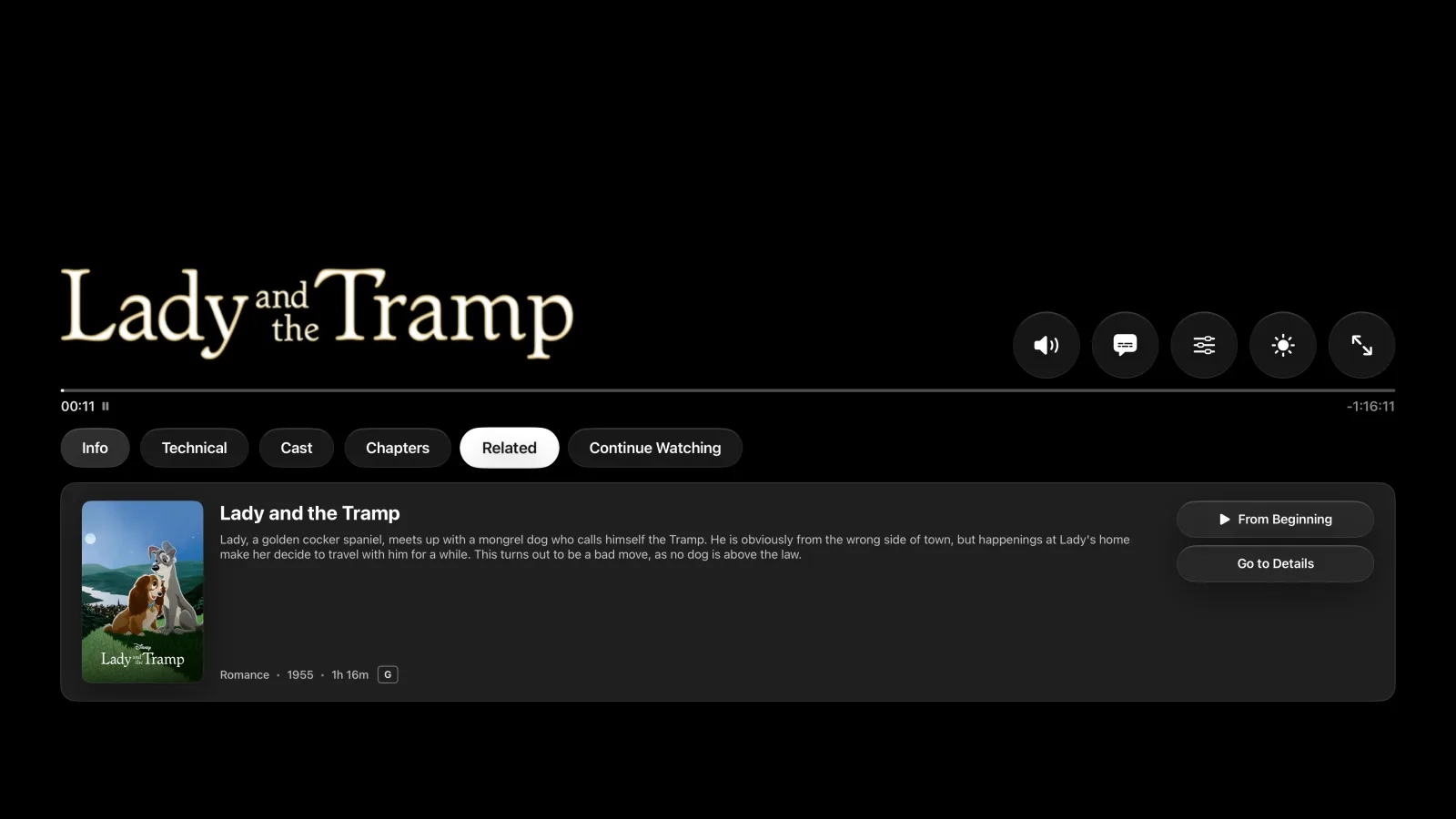
Aether Engine under the hood with a real video-gravity toggle (Fit / Fill / Stretch) that survives engine swaps. Transport is welded to the center press; up and down open the panel; left and right are flat 30-second skips. Nothing fights you.
Info / Technical / Cast / Chapters / Related — every tab that a real player needs, wired to your library.
Cross-server media index
One SQLite index keyed by TMDB / IMDb / TVDB across every server you've connected. Posters, logos, ratings, and "already in library" stay consistent no matter which backend surfaced the title.
iCloud settings sync
Home row layout, hidden hubs, sports config, per-server hero source — all sync between your Apple TVs. New device picks up your setup automatically.
Inline YouTube trailers
Multi-client resolver (ANDROID_VR → TVHTML5 → IOS) plays trailers inside the app. No handoff to the YouTube app, no ad chrome.
Menu button follows the platform
Never quits the app — toggles the sidebar. Focus lands where you'd expect after a back-swipe. It behaves like a tvOS app because it is one.
Sidebar & profiles
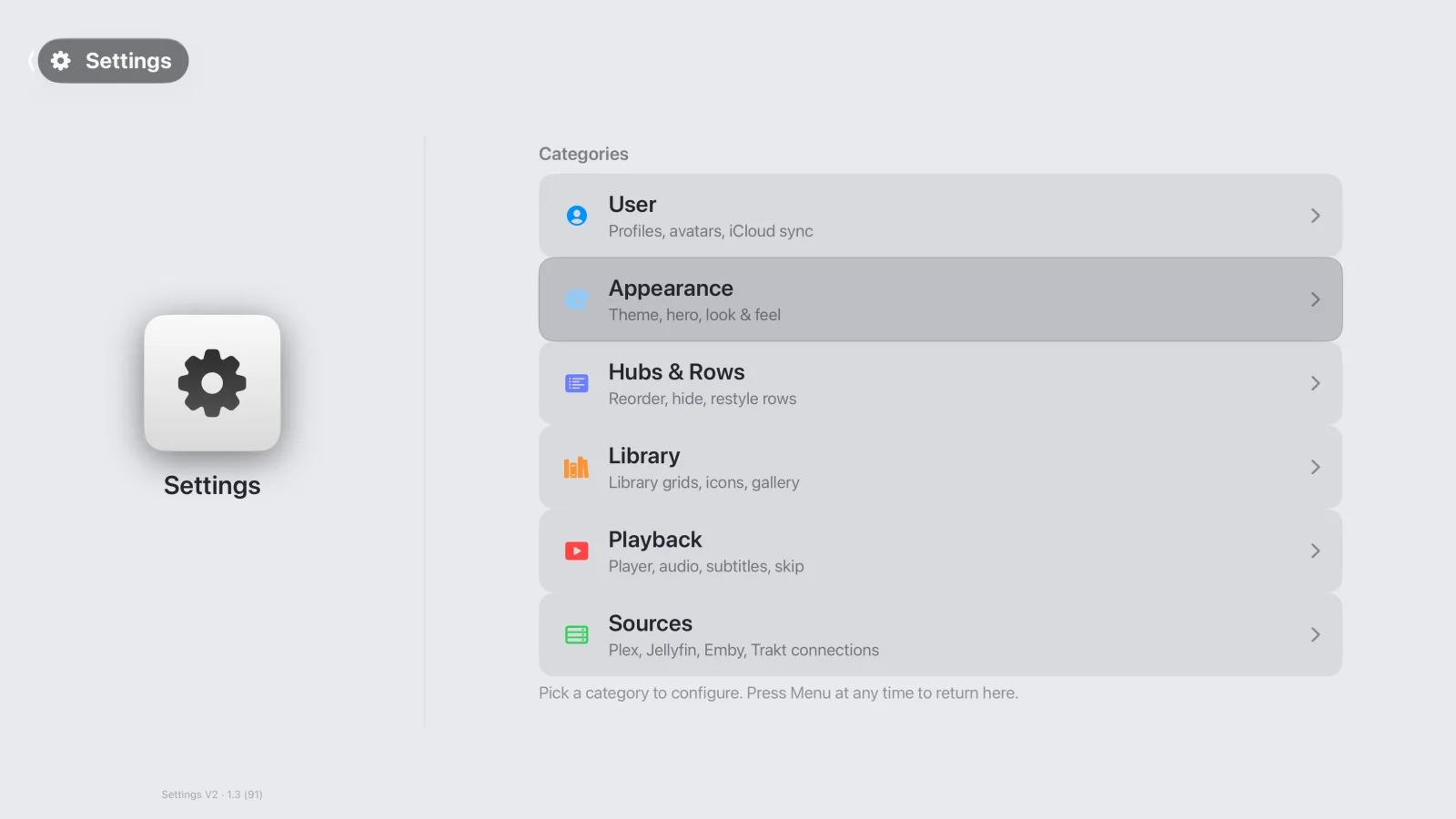
Full drawer nav with search, playlists, collections, discover, and profile switching. Per-profile avatars and per-server settings scope automatically.
Rich metadata everywhere
Reviews with multilingual text, Dolby Atmos / HDR flags, DTS and language tracks, accessibility badges, chapters — surfaced on every detail page.
Bring your own backend.
Goody talks to every backend you're already running. Same UI, same features, whichever server surfaces the title.
This is a moving target. Goody is in open TestFlight and ships changes most days. Some features land, some get reworked, some get pulled and rebuilt.
Bug reports and feature requests are extremely welcome — file them however you got here. If a corner of the app feels rough, it probably is, and hearing about it moves it up the queue.
Hang out on Discord.
Bug reports, feature requests, and "hey does anyone else see this" go faster in real time. Come by the Discord — same people who ship the app read it.
Join the DiscordStuck? Get in touch.
Fastest paths: Discord for real-time, email for anything longer or account-specific.
My library isn't showing up.
Make sure your server (Plex, Jellyfin, or Emby) is online and reachable from your Apple TV. If you're on Plex and running locally, verify the server is signed in with the same Plex account you used in Goody.
I can't connect to my server.
Sign out and back in. On Plex, verify your account has access to the server; on Jellyfin/Emby, double-check the hostname/port and API key in Settings → Sources.
Content isn't loading correctly.
Pull-to-refresh on the library, or restart the app. If it persists, drop a message on Discord with the title that's misbehaving — helps us reproduce it.
Does Goody host any content?
No. Goody talks to your Plex, Jellyfin, or Emby server. It doesn't ship or stream any media of its own — bring your own library.
Put your library on the big screen, properly.
Free while it's in beta. Point it at your servers, sign in, and it's home.
Join the TestFlight